See how your whole fleet connects, then rewind it.
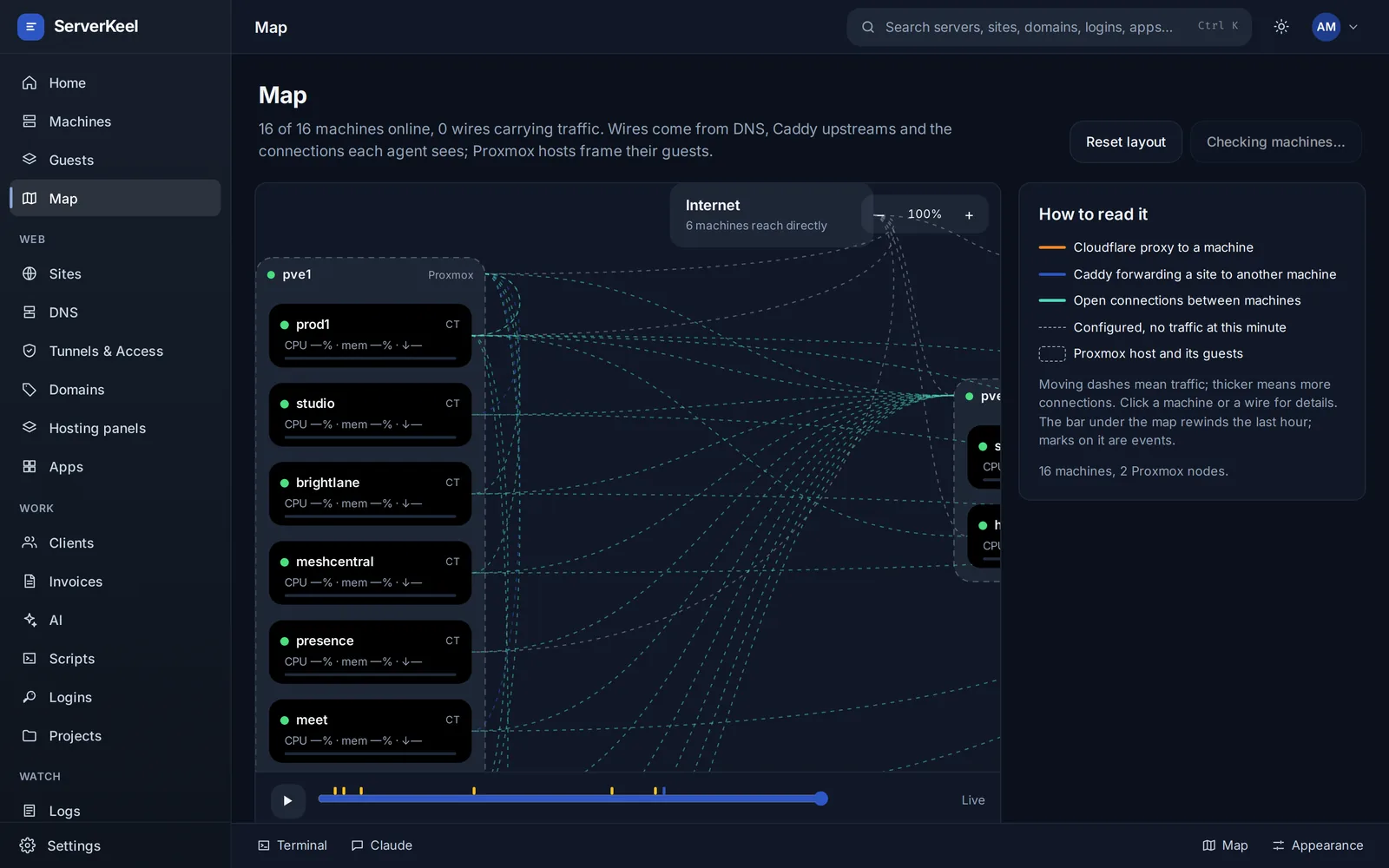
The map draws your servers the way traffic actually flows: from Cloudflare and the internet, through your proxies, to every VM and container. Proxmox hosts frame their guests.
What you can do
Wires from real traffic
Connections come from proxied DNS records, Caddy upstreams and the TCP connections each agent reports, so the map moves when traffic does.
Proxmox hosts around their guests
VMs are matched by system UUID and containers by hostname. Guests without an agent still appear, so nothing hides.
A 60-minute replay
Drag the replay bar to see the fleet as it was during an incident, with events marked on the timeline.
Click through to anything
Select a node to see its load, traffic in and out and open connections, then open its details or a terminal.
Arrange it your way
Drag machines where they make sense to you. The layout is kept for next time.
Works with
See it on your own servers.
Early-access teams get the full console and a direct line to the people building it.